
- Four setups show a rear-facing baby: a headrest camera with its own screen, a CarPlay camera, a back-seat mirror, or two phones and an app.
- Night drives: only the cameras with infrared see in a dark car. A mirror and a phone camera need daylight.
- The picture on the car's own screen needs a camera made for it, and a car with factory wired CarPlay. Baby monitor apps, Mamoon included, don't show on CarPlay.
- Driving alone: listen, don't watch. A cry alert keeps your eyes on the road. If the baby needs you, pull over.
- No monitor makes it safe to leave a baby in a parked car. 31 children died of heatstroke in vehicles in 2025 (NHTSA).
Four ways to see the back seat, one real example of each
One product of each kind, each with its maker's own page, so you can check every figure. They are examples, not the only good ones: most headrest cameras sell under marketplace brand names with no maker's page at all.
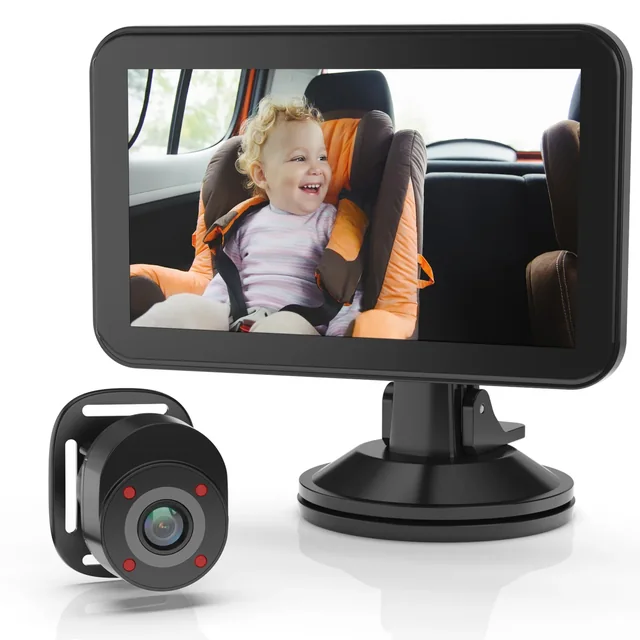 Photo: RexingHeadrest camera, own screen Rexing BC500sees at night
A camera on the rear headrest, a 4.3-inch screen on the dashboard, infrared, USB power (Rexing).
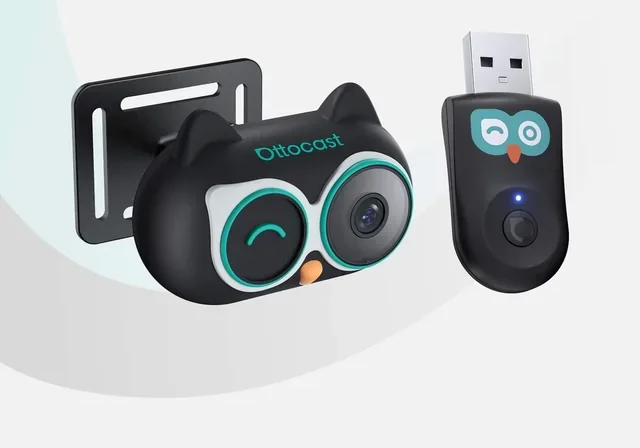 Photo: OttocastCarPlay camera Ottocast Cabin Caresees at night
A headrest camera that shows on the car's own screen, beside the map. Needs factory wired CarPlay.
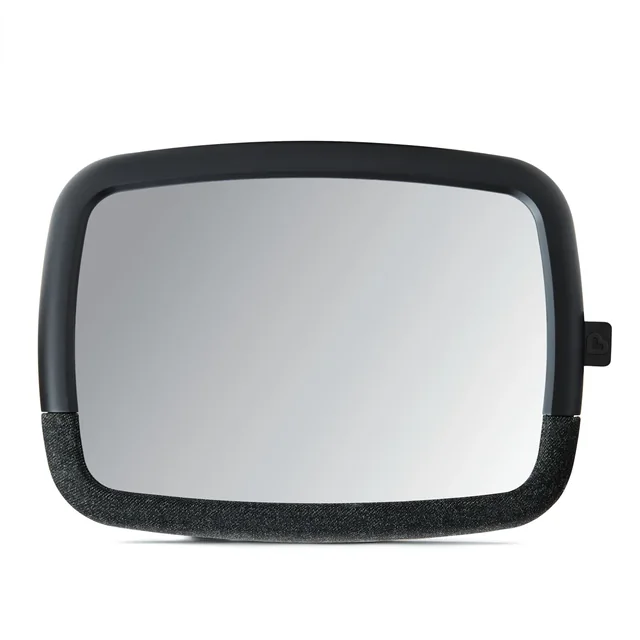 Photo: MunchkinBack-seat mirror Munchkin 360° Pivotdaylight only
No power, nothing to set up. You see the baby in your rear-view mirror, and only the driver can.
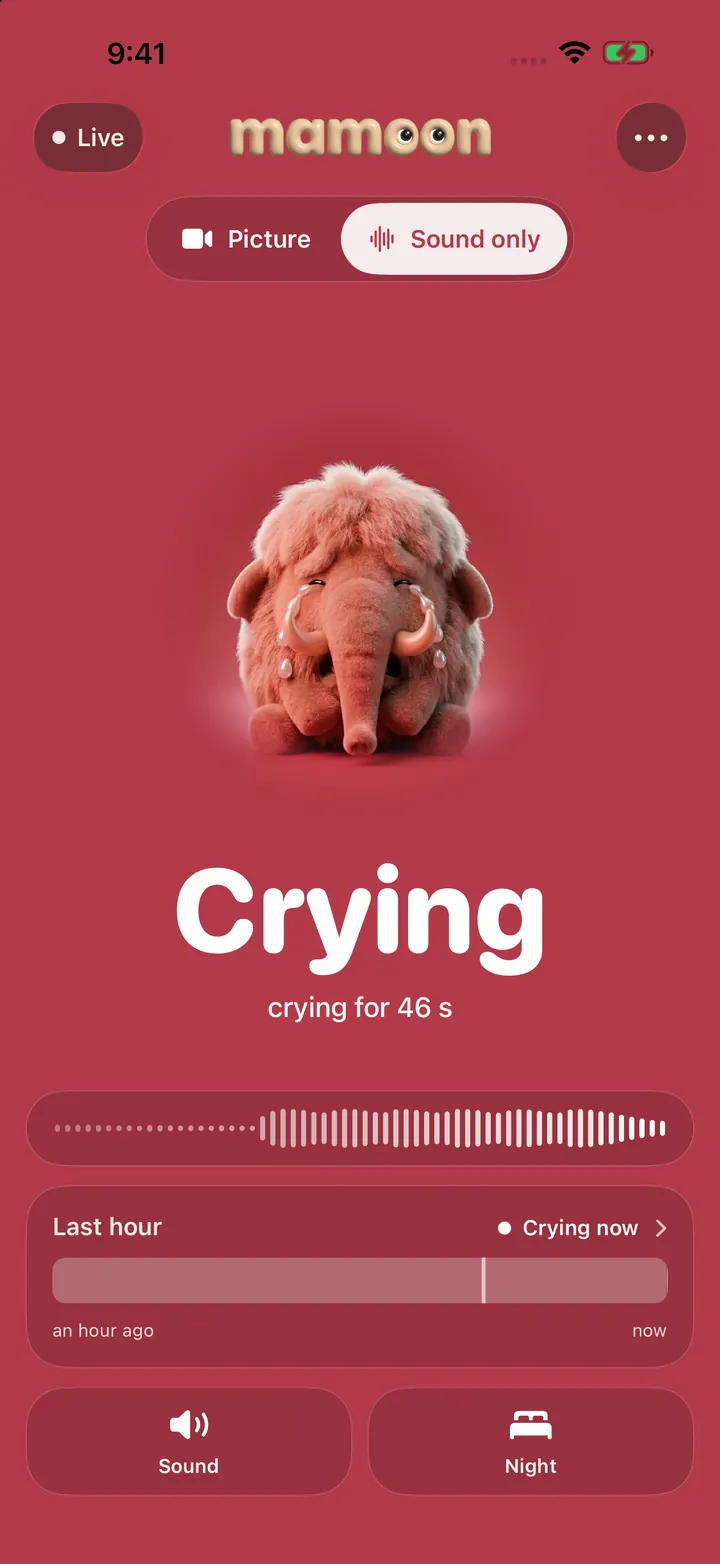
 Two phones and an app Mamoondaylight only
An old phone on the headrest, yours up front. The only one of the four that alerts you to a cry.
We compared them on the five things that decide it: night, where the picture shows, a cry alert, what your car must have, and any use once you arrive.
| Item | Sees in a dark car | Where the picture shows | Tells you about a cry | What your car needs | After you arrive |
|---|---|---|---|---|---|
| Headrest camera | yes, infrared | its own screen on the dashboard | no, you hear the baby anyway | a USB port | stays in the car |
| CarPlay camera | yes, night vision | the car's screen, split with the map | no | factory wired CarPlay, 2016 or newer | stays in the car |
| Back-seat mirror | no | the rear-view mirror, driver only | no | an adjustable headrest | stays in the car |
| Two phones and Mamoon | no, a phone has no infrared | your phone, in a mount or the passenger's hand | yes, a cry alert, also with the picture off | a USB charger; a hotspot unless both are iPhones | the monitor at home and in the hotel |
The cameras' figures are their makers': Rexing, Ottocast and Munchkin, opened November 7, 2026.
Which one fits your drives?
Mostly night drives: a camera with infrared. A phone needs light to see, and a car at night has almost none, so the baby's face turns into grey noise. Turning on the cabin light to fix that is a bad idea on the road.
The picture on the car's screen: a CarPlay camera, if your car has factory wired CarPlay. Ottocast says its Cabin Care is not for BMWs, and that the camera streams live only, with no recording or uploading. Baby monitor apps can't do this: Apple's CarPlay rules let video apps play "in supported cars when parked", and only some kinds of apps (audio, messaging, navigation and a few more) appear on the car screen at all.
Short daytime trips: a mirror is the simplest. Munchkin's fits headrests that adjust, not fixed ones, and it shows nothing once the light goes.
Mostly daytime, and you also need a monitor at home: two phones are worth a try before you buy anything. You likely own an old phone already, and the same pair is the monitor at home and on trips; the old phone guide covers that side.
Can the driver watch the screen?
Not in the sense of watching. NHTSA counts anything that takes your attention from driving as a distraction, and distracted driving killed 3,208 people in the US in 2024. Reading a text, NHTSA says, takes your eyes off the road for 5 seconds. A baby screen pulls the eyes the same way.
So treat the screen like a mirror: a short glance when the road allows, and nothing more. If the baby needs you, pull over. This is where sound beats a picture. A monitor that tells you when the baby cries lets the driver keep their eyes on the road, and a passenger can watch the picture as much as they like.
Where does the camera go?
On the headrest of the back seat, facing the rear-facing car seat. Never on the car seat itself: the American Academy of Pediatrics says not to use extra products "unless they came with the seat or are specifically approved by the seat manufacturer".
- Strapped or clamped to the headrest posts so it can't move. Anything loose in the car flies in a hard stop; Munchkin says its mirror is crash-tested and shatter-resistant.
- Cable along the seat back, out of the baby's reach.
- Camera pointed at the baby's face, not at the rear window, or the light from outside leaves the face dark.
Never use it to leave the baby in the car
Some parents ask about a monitor for a nap in the car in the driveway. Don't. NHTSA's heatstroke page says a child's body temperature rises three to five times faster than an adult's, that rolling the windows down or parking in the shade does little, and that more than 1,000 children have died in hot cars over the past 25 years. Its first rule: never leave a child in a vehicle unattended for any length of time. A monitor does not change that.
Over half of those deaths, NHTSA says, came from a parent or caregiver forgetting a child in the car. Look in the back seat before you lock, every time. The AAP also says car seats are for travel, not for sleeping outside the car: when you arrive, move the sleeping baby to a crib or bassinet, on their back. The nap planner helps you plan naps around the drive instead.
How to set up two phones as a car baby monitor
Most cars have no Wi-Fi of their own, so the two phones need another way to find each other. Two iPhones running Mamoon link directly, like AirDrop: Wi-Fi switched on in both, not joined to any network. Any other pair needs a hotspot from your own phone. The guide to monitors without Wi-Fi explains why.
- Pair the phones at home. Install Mamoon on both, choose "By the crib" on the old phone, and scan its code with yours. Two phones as a baby monitor shows each screen. You should see the picture on your phone before you go.
- Mount the old phone on the rear headrest. Use a headrest mount that grips the posts, camera facing the baby's face.
- Plug it in. Into the car's USB port or a car charger, with the cable along the seat back.
- Give the phones a network. Two iPhones: Wi-Fi on in both, nothing else. Any other pair: turn on the hotspot on your phone and join it with the old phone. Some phones turn the hotspot off when nobody uses it; if the picture stops, check that first.
- Your phone goes in a dashboard mount, or to the passenger. Driving alone? Choose Sound only: the cry alert tells you when to pull over, with no picture to look at.
- Test it while parked. Open Mamoon on your phone and make a sound by the car seat. You should see and hear it up front. If the connection drops, the screen turns grey and Mamoon alerts you after 20 seconds.
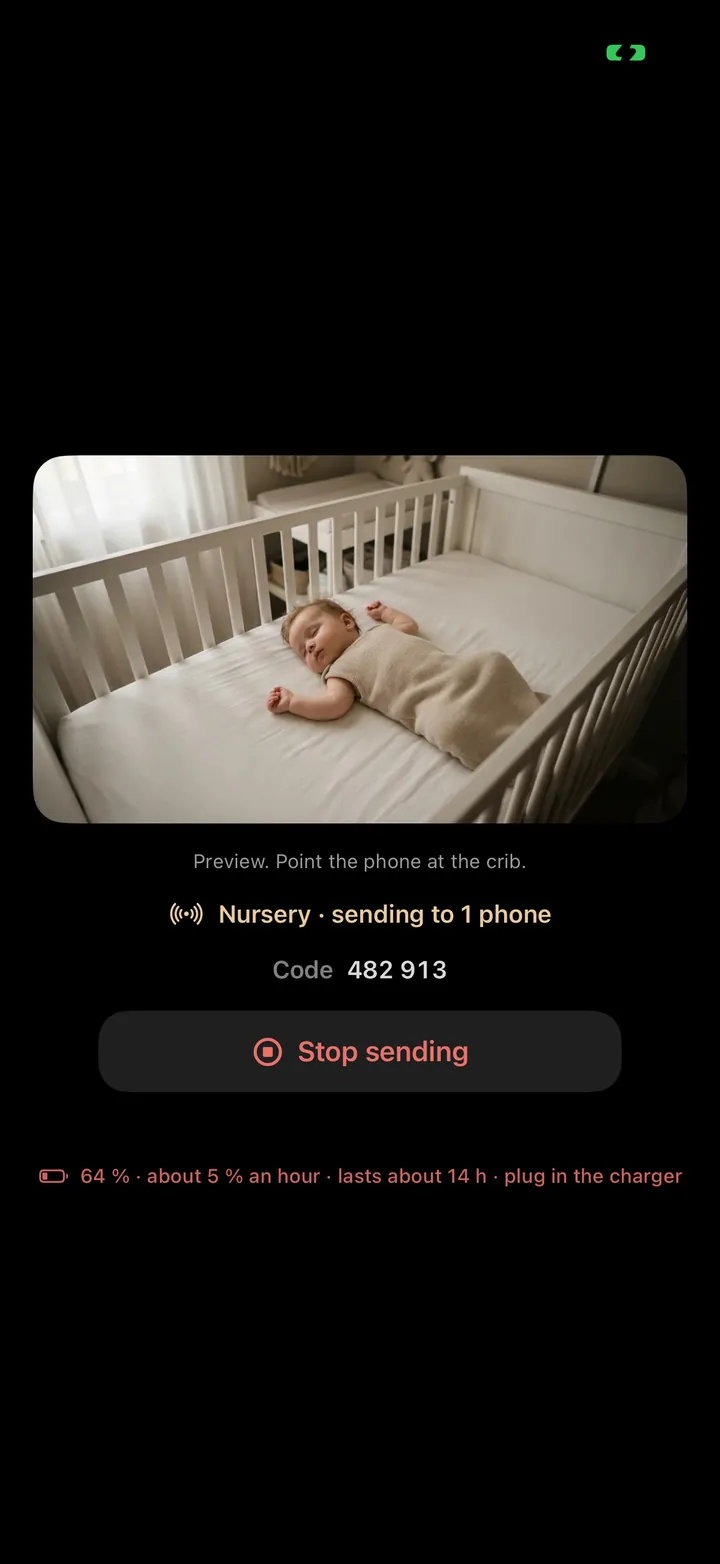
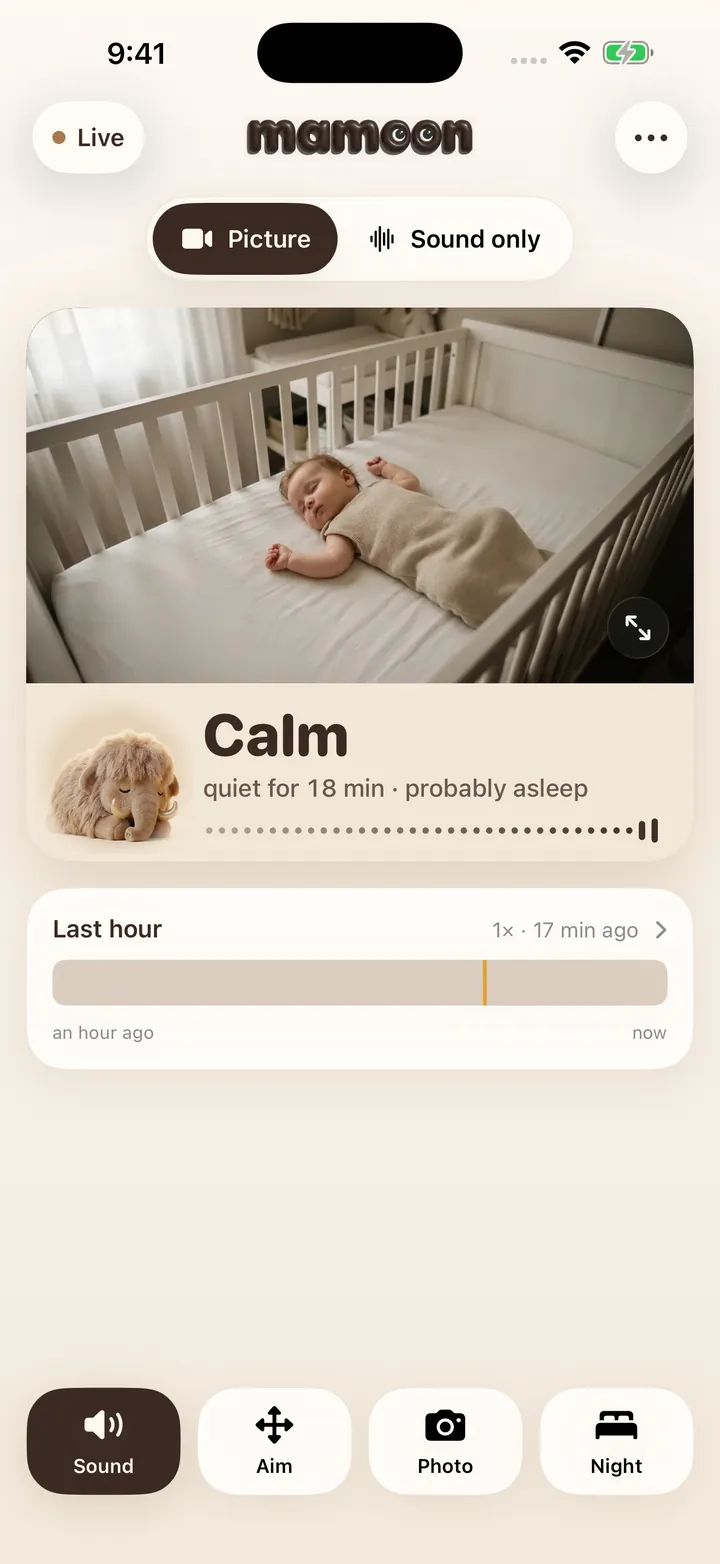
On a road trip, the same pair goes into the hotel room at night: see the travel guide and where to put the camera.
Where Mamoon fits
Mamoon turns an old phone on the headrest and your phone up front into a car monitor for daytime drives. Two iPhones link directly; any other pair uses your hotspot. The picture goes from phone to phone, not out to the internet. The cry alert works in Sound only, so the driver hears the baby without looking.
It does not appear on CarPlay or Android Auto, and a phone camera does not see in a dark car: for night drives, buy a camera with infrared. Mamoon is on the App Store and Google Play. Sound and cry alerts are free; the picture is $29.99 once or $3.99 a month after 14 days free.
Frequently asked questions
Is there a baby monitor app for CarPlay?
Not among the common baby monitor apps, Mamoon included. Apple lets only some kinds of apps, such as audio and navigation, onto the CarPlay screen, and video apps only while parked. For the picture on the car's screen, use a camera made for CarPlay, such as Ottocast Cabin Care, in a car with factory wired CarPlay.
Can I use my old phone as a car baby camera?
Yes, by day. Mount it on the rear headrest facing the baby, keep it plugged in, and link it to your own phone with a monitor app. At night a phone camera sees too little; a car camera with infrared works better.
Does a two-phone car monitor use mobile data?
Mamoon's picture goes from phone to phone, directly between two iPhones or through your hotspot, not out to the internet. Other apps on the old phone can use your data, so turn off their automatic updates.
Is a back-seat mirror enough?
For short daytime trips, often yes. It needs no power and nothing to set up. It shows nothing at night, only the driver can see it, and it gives no alert when the baby cries.
Can I watch the baby monitor while driving?
Glance, as at a mirror, only when the road allows. Reading a text alone takes your eyes off the road for 5 seconds, NHTSA says. Let a passenger watch, or use a sound alert and pull over if the baby needs you.
Sources
- AAP, HealthyChildren.org: Car seats, information for families (rear-facing, back seat, extra products, travel not sleep), opened November 7, 2026
- NHTSA: Prevent hot car deaths (2025 figure, over 1,000 in 25 years, over 50% forgotten), opened November 7, 2026
- NHTSA: Distracted driving (3,208 deaths in 2024, 5 seconds per text), opened November 7, 2026
- Apple Developer: CarPlay (app kinds; video apps "in supported cars when parked"), opened November 7, 2026
- Rexing: BC500 In-Car Baby Monitor (4.3-inch screen, infrared, USB power), opened November 7, 2026
- Ottocast: Cabin Care (factory wired CarPlay, 2016 or newer, live only), opened November 7, 2026
- Munchkin: 360° Baby In-Sight Pivot Mirror (adjustable headrests, crash-tested), opened November 7, 2026
Spotted a mistake or an outdated figure? Write to [email protected].
How these pages are made: an AI model drafts them from our own tests, real app screens and the sources listed, and Jan Drábek checks every page before it goes live.
