
- Two phones with a local monitor app are the lightest travel monitor; a radio monitor wins when you need long range or your phone free.
- Hotel Wi-Fi usually blocks it. Guest networks keep devices apart, so the two phones can't see each other.
- The fix: two iPhones running Mamoon link directly; any other pair joins a hotspot from one phone.
- Pair at home before you leave, and pack a long charging cable for the phone by the crib.
- Naps on the go: a phone in the stroller set to sound only tells you when the baby wakes.
What is the best baby monitor for travel?
For most trips, the one you don't have to pack. If you own an old phone, it plus your own phone and an app that streams locally is a full video monitor. It weighs nothing extra, runs in a hotel room or a rental, and needs no account at the other end. The catch is the network, which the next section solves.
A dedicated radio monitor is still the better pick on some trips. Its camera talks only to its own parent unit, so it needs no network, and your phone stays free for maps and photos. Its range is longer too: the Philips Avent SCD891 manual states 300 m outdoors. If you'll sit in a garden or by a campsite fire while the baby sleeps, bring the radio.
Why a phone monitor fails on hotel Wi-Fi
Both phones are connected, both show full bars, and the app can't find the phone by the crib. That's almost always client isolation: a setting on hotel, guest and café networks that stops devices from talking to each other. It is there so the guest next door can't reach your laptop. Google's Cast help confirms a guest can't switch it off.
Some hotels also ask you to sign in on a web page first. A camera with no screen can't do that, which is why cloud cameras like Nanit often stay offline in hotels. So plan to skip the hotel network and bring your own.
How to set up a phone monitor in a hotel or rental
Two iPhones running Mamoon need none of this: they connect directly, like AirDrop, as long as Wi-Fi is switched on in both. With an Android in the pair, five steps make a private network out of your own phone.
- Pair the phones at home. Install Mamoon on both, choose "By the crib" on the old phone, and scan its code with yours. Doing this on your home Wi-Fi saves a fiddly first night; two phones as a baby monitor shows the pairing.
- Open a hotspot on your own phone. iPhone: Settings → Personal Hotspot → Allow Others to Join. Android: swipe down and tap Hotspot. Apple notes it needs a carrier that allows it.
- Join that hotspot with the phone by the crib, like any Wi-Fi. That phone needs no SIM card.
- Plug both phones in. A hotspot drains a battery faster than plain Wi-Fi, and the phone by the crib streams all night.
- Turn the hotspot off in the morning, so the old phone doesn't spend your data on app updates during the day.
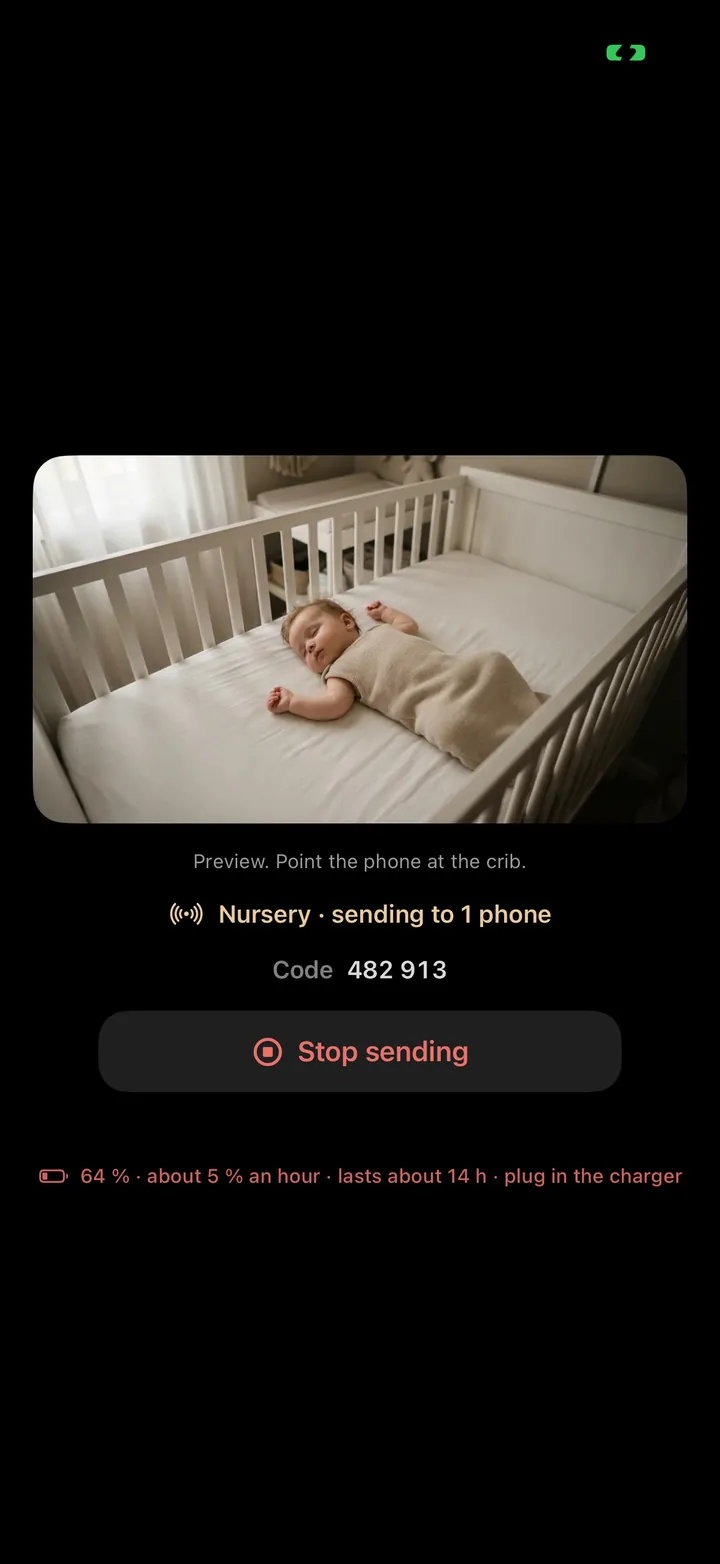
Mamoon's video goes from phone to phone through the hotspot, not out to the internet. Other apps on the old phone can use your data plan, though, so switch off its automatic updates before you leave.
Camping, cabins and places with no signal
No Wi-Fi and no mobile signal is where the type of phone matters most. Two iPhones don't care: their direct link needs no network, so a tent or a cabin in the woods works like a hotel room. An Android pair needs some network to share, and a hotspot with no signal may refuse to start. A small battery travel router fixes that anywhere: it makes a Wi-Fi network with nothing behind it, and both phones join it.
Power is the real limit off grid. The phone by the crib streams video all night, so bring a power bank that lasts the night, or use the car or the campsite's power. On the drive there, the same two phones can watch the back seat: a baby monitor for the car shows how.And if you'll be outside the tent while the baby sleeps, a radio monitor's range is worth the extra box. Our explainer on monitors without Wi-Fi compares the three kinds side by side.
What to pack for a phone baby monitor
- The old phone, paired with yours at home, with the app and the system updated.
- Its charger with a long cable, since outlets are never by the travel crib.
- A small stand or a flexible tripod; a crib arm fits too. Luggage racks and dressers are rarely in the right spot.
- A dim night light: a phone camera sees little in a dark room.
- For an Android pair going off grid: a pocket travel router and a power bank.
- If a Wi-Fi camera is your monitor at home, it can come too: add your hotspot to it in the camera's own app before you leave.
Placing the phone in a strange room
A dresser, a chair back or a crib arm you packed all work. Travel cots sit lower than a crib, so aim the camera down more steeply. A crib mount is fine; keep the charging cable out of the baby's reach, as the U.S. Consumer Product Safety Commission advises for monitor cords. The placement scenes in where to put the baby monitor camera work in a hotel room as well as at home.
At the grandparents' house, their Wi-Fi is usually fine: home networks don't isolate devices. Join both phones to it and you're done. The old phone guide covers the night light, the battery and the heat, and the other baby monitor guides the rest of the setup.
Where Mamoon fits
Mamoon turns the phones you travel with into the monitor. Two iPhones find each other with no network at all; an Android pair uses your hotspot, and the video stays between the phones. It tells a cry from the hotel air conditioning, and a stroller nap works in Sound only. If the link drops, the screen turns grey and you're alerted. It does not reach as far as a radio monitor, and watching from the hotel bar needs Tailscale set up at home. Sound and cry alerts are free; the picture is $29.99 once or $3.99 a month after 14 days free.
Frequently asked questions
Can I use a baby monitor on hotel Wi-Fi?
Often not, because most hotel networks stop guests' devices from seeing each other. Two iPhones running Mamoon link directly anyway. With an Android in the pair, use a hotspot from your own phone instead of the hotel network.
Does a hotspot use my mobile data for the baby monitor?
Mamoon's video doesn't: it goes from phone to phone through the hotspot. Other apps on the phone by the crib can use your data, so turn off its automatic updates and the hotspot in the morning.
Can I use a baby monitor abroad without roaming?
Yes. The phone by the crib needs no SIM. Two iPhones link with no network, and an Android pair can share a travel router's Wi-Fi with no internet behind it, so roaming is never part of the video.
Should I bring my Nanit or other cloud camera on holiday?
Only if the place has Wi-Fi without a sign-in page and decent internet, because cloud cameras stream through their maker's servers. For hotels and cabins, two phones or a radio monitor are simpler.
Can several family members watch the baby on a trip?
Yes. More than one parent phone can watch the same phone by the crib in Mamoon, as long as they're all on the same hotspot or network, or all iPhones within reach of the direct link.
Sources
- Google Cast Help: AP/client isolation on guest, hotel and public networks, opened September 29, 2026
- Apple Support: set up a Personal Hotspot on iPhone (needs a carrier that supports it), opened October 13, 2026
- Google: share a mobile connection by hotspot on Android, opened September 29, 2026
- Philips Avent SCD891 user manual: range and battery, opened September 29, 2026
- CPSC OnSafety: baby monitor cords, opened September 29, 2026
Spotted a mistake or an outdated figure? Write to [email protected].
How these pages are made: an AI model drafts them from our own tests, real app screens and the sources listed, and Jan Drábek checks every page before it goes live.
