

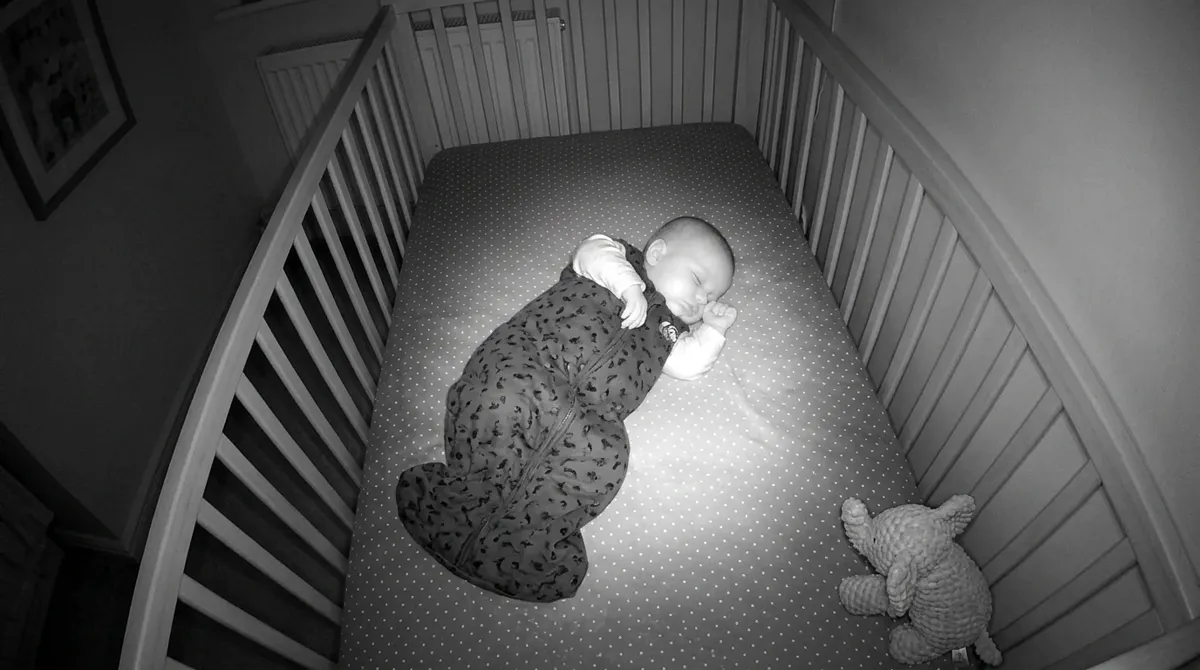
- The camera must send H.264 video and G.711 audio over RTSP. Pan/tilt from the app works on ONVIF cameras.
- Tapo works once you create a Camera Account. Hikvision and Dahua / Imou work once you switch their audio to G.711.
- Reolink sends AAC audio, which Mamoon can't play yet. You'd see the picture, but with no sound Mamoon can't listen, so it reports that it isn't monitoring. Not usable as a baby monitor for now, unless you run it through go2rtc (see below).
- Mamoon finds the camera on your home network by itself. You only enter the camera's user name and password.
Which cameras work
| Camera | Video | Sound and crying | Pan/tilt | What to set |
|---|---|---|---|---|
| TP-Link Tapo (C100, C200, C210, C220…) | yes | yes | yes, on pan/tilt models | create a Camera Account in the Tapo app |
| Hikvision | yes | yes, with G.711 audio | on ONVIF cameras | switch audio to G.711 |
| Dahua, Imou | yes | yes, with G.711 audio | on ONVIF cameras | switch audio to G.711 |
| Reolink | yes | no, AAC audio not supported yet | on ONVIF cameras | Mamoon shows the picture but reports it isn't monitoring; works through go2rtc |
| Other RTSP camera | if it sends H.264 | if it sends G.711 | if it supports ONVIF | enter the full RTSP address |
| go2rtc server (Home Assistant, Frigate) | yes | yes, with G.711 | depends on the camera | enter the server address and stream names |
A camera set to H.265 usually offers a second (sub) stream in H.264, or lets you switch the main stream to H.264 in its settings.
Step by step
- Connect the camera to Wi-Fi in its own app, as usual.
- Check the audio format. On Hikvision and Dahua / Imou, set the camera's audio to G.711. On Tapo, create a Camera Account in the Tapo app (Camera → Settings → Advanced Settings → Camera Account).
- In Mamoon, choose a Wi-Fi camera. Mamoon searches your home network, finds the camera and recognizes the brand.
- Enter the camera's user name and password. The password stays on your phone.
- Aim the camera at the crib and choose when Mamoon should wake you.
Why an IP camera
- Night vision: infrared light shows the baby in total darkness, which a phone can't.
- Pan/tilt: turn ONVIF cameras right from Mamoon.
- Price: you may already own one, or a Tapo C200 costs about $25–35.
- Privacy: Mamoon reads the video straight from the camera over your Wi-Fi, without the camera maker's cloud.
Frequently asked questions
Does a Reolink camera work with Mamoon?
The picture does; sound doesn't yet. Reolink sends audio as AAC, which Mamoon can't play, and without sound Mamoon can't listen: after about 20 seconds it turns gray and alerts you that it isn't monitoring. If you run Home Assistant or go2rtc, have go2rtc convert the sound to G.711 (the #audio=pcma option of its ffmpeg source) and point Mamoon at go2rtc instead.
Why can't Mamoon hear my camera?
The camera probably sends audio in a format other than G.711. Switch it to G.711 (sometimes labeled PCMA, PCMU or G.711A/U) in the camera's app or web interface.
Do I need the camera maker's cloud?
No. Mamoon reads video and sound straight from the camera over your home network. You need the maker's app only for the first setup.
Can Mamoon pan and tilt the camera?
Yes, on ONVIF cameras: Tapo, Hikvision, Dahua and Reolink.
Sources
Spotted a mistake or an outdated figure? Write to [email protected].