

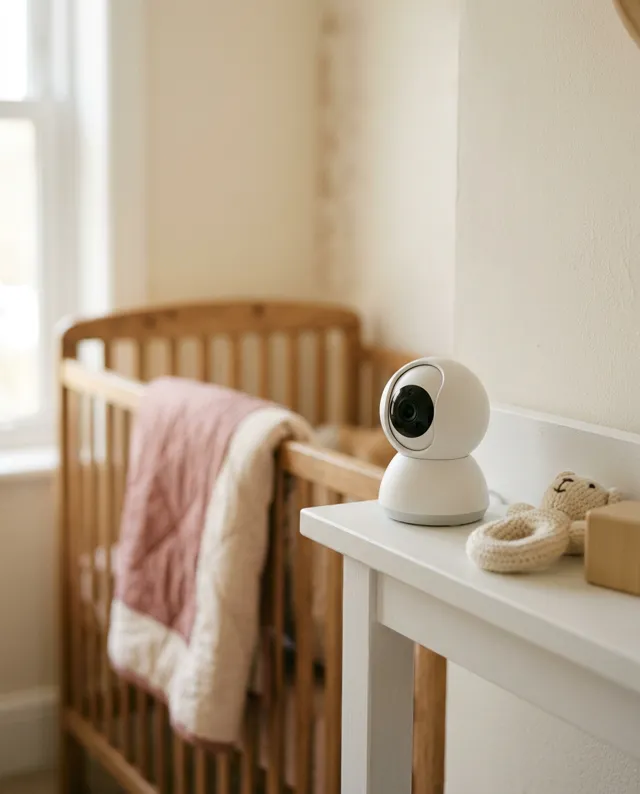
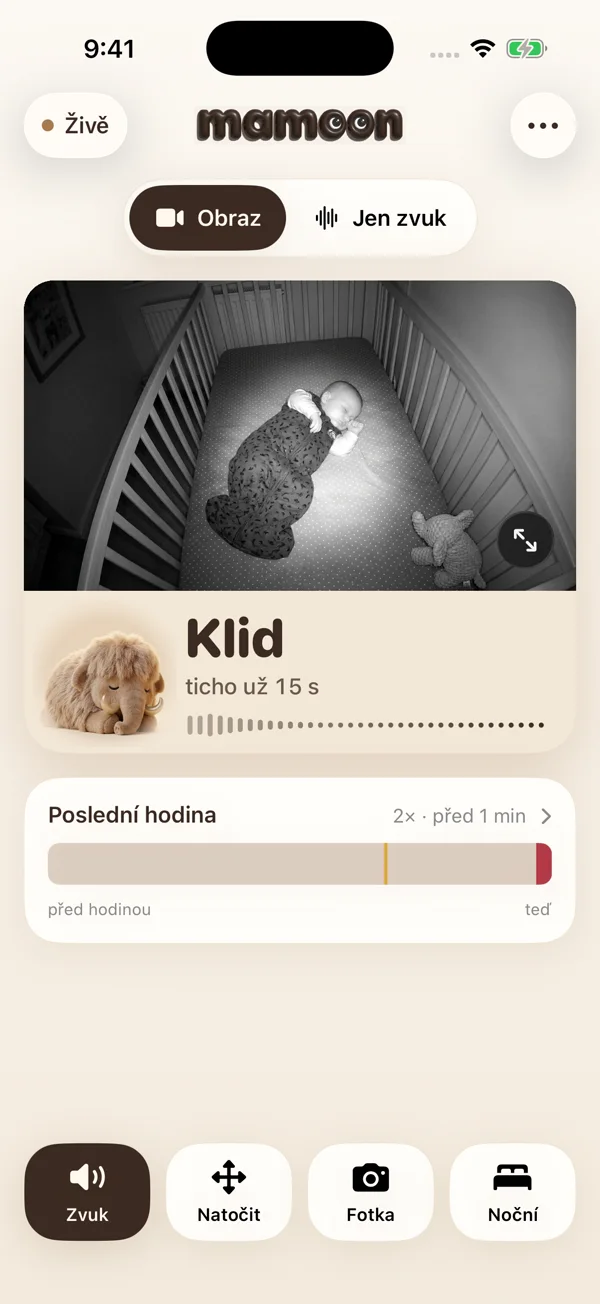
- Tapo already detects crying, free and on the camera. Mamoon adds a night screen at 1 % brightness, crying-versus-fussing detection, alerts with the nursery sound muted, and an alert within 20 seconds when the camera stops sending video.
- Camera: a TP-Link Tapo C200 (about $25–35) or C210 (often under $30). Both have infrared night vision, pan/tilt and a microphone.
- Setup: add the camera in the Tapo app, then create a Camera Account in its settings (Advanced Settings → Camera Account). Without it, other apps can't see the camera.
- Mamoon finds the camera on your network by itself; enter the camera account's name and password and you're watching. You can pan and tilt from Mamoon.
- Placement: high on a shelf or wall, 3–6 feet (1–2 m) from the crib, with the cord at least 3 feet from the crib.
Why a Wi-Fi camera
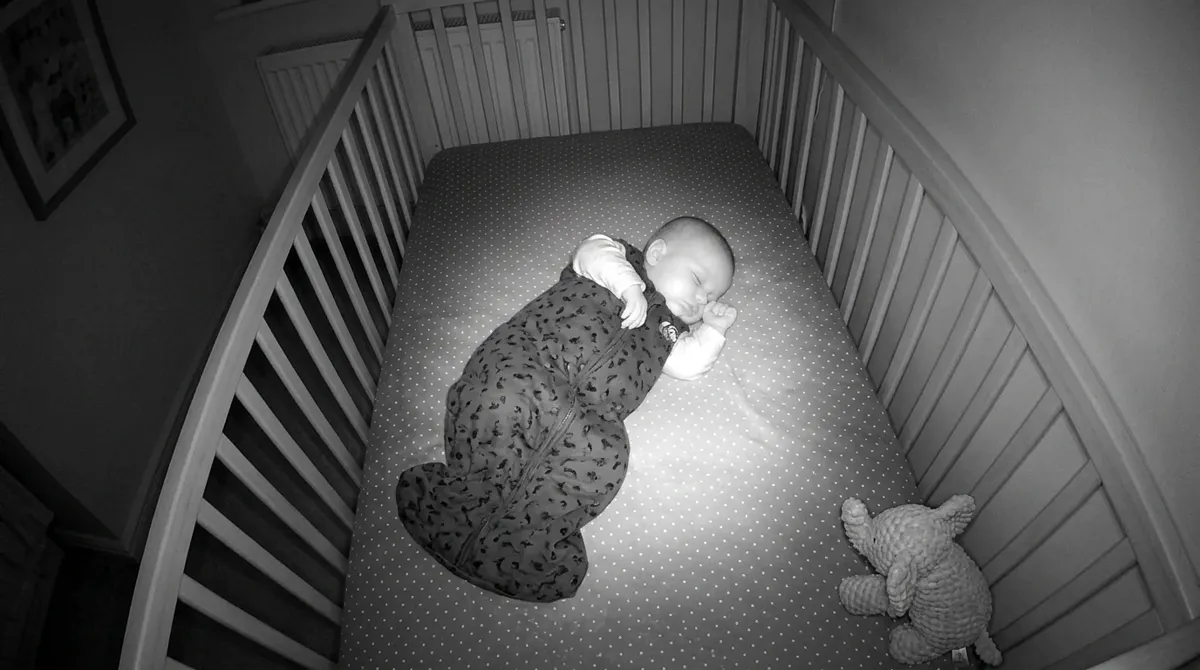
A phone makes a great baby monitor but can't see in total darkness. Tapo cameras have infrared light and show a sharp black-and-white picture in a blacked-out room. They cost a fraction of a dedicated video monitor, and they pan and tilt, so you find the baby even after they move around the crib.
Step by step
- Set up the camera in the Tapo app. Plug it in, add it in the Tapo app (with a TP-Link account) and connect it to your home Wi-Fi. The C200 supports 2.4 GHz only.
- Create a Camera Account. In the Tapo app open the camera → Settings → Advanced Settings → Camera Account and choose a name and password (6–32 characters). This lets other apps get the video over RTSP and ONVIF.
- Open Mamoon and choose a Wi-Fi camera. Mamoon finds the camera on the network by itself. Enter the camera account's name and password.
- Aim the camera at the crib. You can pan and tilt from Mamoon. A view from above at an angle, with the whole mattress in frame, works best.
- Choose when it should wake you: only crying, crying and fussing, or every sound.
Where to put the camera
- On a shelf, dresser or wall mount, 3–6 feet from the crib and higher than the mattress.
- Run the cord along the wall and keep it at least 3 feet (1 m) from the crib, out of reach, as the U.S. CPSC advises.
- Don't point it at a window; at night the glass reflects the infrared light.
Tapo on its own, or Tapo with Mamoon?
The Tapo app itself offers live view and, on the C100, C200, C210 and C220, baby cry detection on the camera with no subscription. For basic watching that may be enough. Mamoon adds what helps at night:
| Tapo with Mamoon | Tapo app | |
|---|---|---|
| Cry detection | crying, fussing and other sounds, 3 wake-up levels | on-camera baby cry detection |
| A parent screen for the night | night mode at 1 % brightness with a clock and the room's state | ordinary live view |
| When the connection drops | gray screen and an alert within 20 s | not verified |
| Morning overview | 12 hours on one line with snapshots | microSD or Tapo Care recordings |
| Mix with an old phone | yes, both in one app | no |
| Price | 30 days free, then $3.99/month or $24.99/year | free; Tapo Care is a subscription |
Frequently asked questions
Is the Tapo C200 good as a baby monitor?
Yes. It has infrared night vision, pan/tilt and a microphone, and costs about $25–35. You can watch it as a baby monitor in the Tapo app or in Mamoon.
Why can't Mamoon see my Tapo camera?
Usually the Camera Account is missing; create it in the Tapo app under Advanced Settings → Camera Account. Also check that the phone and camera are on the same Wi-Fi, and that the camera isn't running Tapo Care and microSD recording at the same time.
Do I need a Tapo Care subscription?
No. Tapo's on-camera cry detection works without a subscription, and Mamoon doesn't need Tapo Care. Tapo Care adds cloud recordings.
Which other cameras does Mamoon support?
Cameras with RTSP and G.711 audio, such as Hikvision, Dahua, Imou and many more; camera list. Pan and tilt work on ONVIF cameras.
Does the camera's video go over the internet?
With Mamoon, no: the video goes over your home Wi-Fi straight from camera to phone. The Tapo app on its own uses TP-Link's services when you watch away from home.
Sources
- TP-Link: Tapo C200
- TP-Link FAQ: Camera Account, RTSP and ONVIF
- TP-Link FAQ: features that can't run at the same time
- TP-Link FAQ: baby crying detection
- Tapo C210 review (prices)
- CPSC: baby monitor cords
Spotted a mistake or an outdated figure? Write to [email protected].