
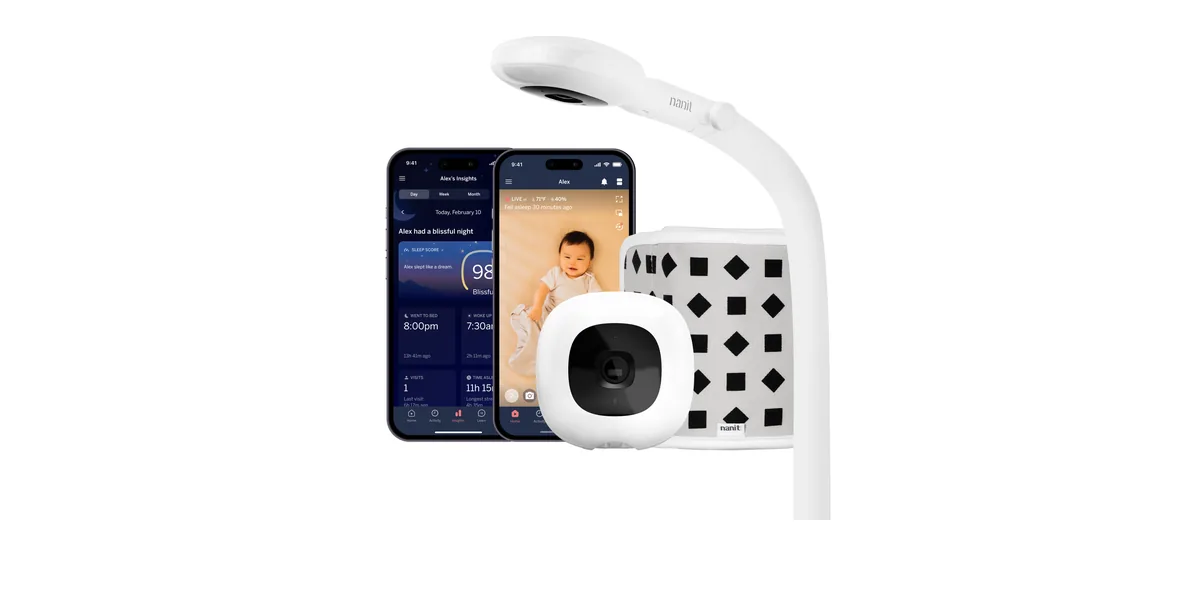
- No, Nanit works without a subscription: live video, sound and motion alerts and breathing motion stay free. Cry alerts and video history need a plan.
- The plans: Sleep is free for 3 months, then under $10 a month billed yearly. Memories is $120 a year, Milestones $300.
- To cancel: bought in the iPhone app, use Apple's Subscriptions; bought in the Android app, use my.nanit.com. Do it at least 24 hours before renewal, per camera.
- The Nanit Pro camera is $289.99, so two years with Memories come to about $530.
Does Nanit need a subscription?
No. Nanit's help center lists what works without a plan: the live stream and nursery audio on your phone, sound and motion notifications, two-way audio, white noise, the nightlight, Breathing Motion Monitoring and up to two parents in the app.
The plans are called Nanit Insights. They hold the features in Nanit's ads: sleep analytics, video history and the "smart alerts". That last group includes cry detection and baby-standing alerts. So without a plan Nanit tells you there was a sound, not that the baby is crying.
Here is what each plan adds, from Nanit's membership page on October 29, 2026.
| Item | No plan | Sleep | Memories | Milestones |
|---|---|---|---|---|
| Price | free | 3 months free, then under $10 a month, billed yearly | $120 a year ($10 a month) | $300 a year ($25 a month) |
| Live video, sound and motion alerts | yes | yes | yes | yes |
| Breathing motion (with Breathing Wear) | yes | yes | yes | yes |
| Smart alerts, such as cry detection | no | with a plan | with a plan | with a plan |
| Video history | no | no, live only | 2 days | 7 days |
| Sleep analysis | no | 2 days | 30 days | unlimited |
| Caregivers in the app | 2 | 2 | up to 10 | unlimited |
Prices from nanit.com on October 29, 2026. Sleep analysis, milestones and time-lapses need the Floor Stand or Wall Mount. Nanit's page lists all Insights plans as billed yearly.
What you lose without a plan
Nanit's help center names it plainly: without Insights there is no sleep status, no sleep analytics, no video clips or continuous recording, no milestone tracking and no smart alerts such as cry detection. Everything that tells you what happened while you slept lives in the plan.
What stays is a solid live camera. Many parents run Nanit this way after the free months: they open the app when they hear something, and they use the breathing motion band at night. If that is how you use it, the plan is optional.
How to cancel a Nanit subscription
Where you cancel depends on where you paid. Nanit's help article gives these steps (checked October 29, 2026).
- Bought in the iPhone app: open the iPhone Settings app, tap your name, check you're signed in with the Apple ID that paid, tap Subscriptions and choose Nanit. Tap Cancel Subscription.
- Bought in the Android app: log in at my.nanit.com and manage the subscription there.
- Bought on nanit.com, or started with the camera: Nanit's help center doesn't spell this out. Log in at my.nanit.com, and if you can't find the plan, contact Nanit support well before the renewal date.
- Cancel at least 24 hours before the renewal. You keep the plan until the next billing date, as Nanit's article says.
- Repeat for each camera. With two Nanit cameras, each subscription is changed on its own.
- Check it worked: Apple's Subscriptions list should show "Expires" with a date instead of "Renews". Keep the confirmation email.
Cancel before you delete the Nanit app: removing the app doesn't stop the subscription.
Is the Nanit subscription worth it?
It depends on what you'd open each morning. The camera is $289.99 on nanit.com. Add Memories for two years and you're at about $530; Milestones for two years takes it to about $890. The cost calculator works it out for your own plan.
- Worth it if you read the sleep reports and want to scroll back through the night, or you want cry alerts inside Nanit.
- Skip it if you mostly want live video and breathing motion. Both stay free.
Choosing between Nanit and the Owlet sock? Nanit vs Owlet puts the band and the sock side by side, with the FDA's words on each. How Nanit's plans compare with Owlet,CuboAi and the rest is in which baby monitors need a subscription, and the whole market's prices in what a baby monitor really costs.
Mamoon vs Nanit
| Item | Mamoon | Nanit Pro |
|---|---|---|
| Camera | an old phone, or a Wi-Fi camera from about $22–30 | $289.99 with a stand |
| To keep paying | nothing for sound and cry alerts; picture $29.99 once or $3.99 a month | optional plans, $120–300 a year |
| Cry alerts | free, cry vs. fussing vs. other sounds | with a plan |
| Where the video goes | your Wi-Fi only, no account | through Nanit's cloud, account required |
| Breathing motion, sleep analytics | no | yes, analytics with a plan |
| Video history | no | 2–7 days with a plan |
| Watch from anywhere | through Tailscale | yes |
Nanit prices and features from nanit.com on October 29, 2026.
No spare camera? An old phone by the crib does the job tonight. Away from home, the Tailscale guide shows how to watch without a cloud.
Where Mamoon fits
Mamoon turns an old phone, or a Wi-Fi camera such as a Tapo, into a baby monitor on your own phone. It recognizes crying on the phone and shows the room as Calm, Stirring or Crying, with no plan for any of it. Alerts keep coming with the nursery muted, and the screen turns grey if the camera stops sending. Picture and sound stay on your home Wi-Fi with no account. It does not track breathing motion or sleep, keeps no video history, and is not a medical device. Sound and cry alerts are free; the picture is $29.99 once or $3.99 a month after 14 days free.
Frequently asked questions
Can I use Nanit without a subscription?
Yes. Live video, nursery audio, sound and motion alerts, two-way audio and Breathing Motion Monitoring work without a plan. Sleep analytics, video history and smart alerts such as cry detection need Nanit Insights.
How much is the Nanit subscription?
Memories is $120 a year and Milestones $300 a year. The Sleep plan is free for three months, then under $10 a month, billed yearly. All plans are optional.
Does one Nanit plan cover two cameras?
Not for plans bought in the app: Nanit's help center says each camera's subscription is changed separately. Check the membership page before you buy for a second room.
Why can't I find the cancel button in the Nanit app?
Plans bought on an iPhone are managed by Apple: cancel in the iPhone Settings app under your name, then Subscriptions. Android purchases are managed at my.nanit.com.
Does Nanit work without the internet?
No. Nanit streams through its cloud, so the app needs the internet and an account. A monitor app that works on your home Wi-Fi keeps going when the internet is down.
Sources
- Nanit: Insights plans, Sleep, Memories $120/yr, Milestones $300/yr (October 29, 2026)
- Nanit help center: using the camera without an Insights plan (October 29, 2026)
- Nanit help center: managing subscriptions bought in the app (October 29, 2026)
- Nanit: Nanit Pro camera, $289.99 (October 29, 2026)
Spotted a mistake or an outdated figure? Write to [email protected].
